Shipwaves · 2020
Building the Shipwaves Design System
Bringing consistency to a freight forwarding platform of twelve-plus modules with a scalable, developer-ready design system.
- Role
- Sole Product (UI/UX) Designer
- Team
- Designer, 2 Developers
- Timeline
- Aug–Dec 2020
- Tools
- Figma
The challenge
Twelve modules, no shared language
Shipwaves had grown to more than twelve modules, and keeping the design consistent across them needed a unified approach that didn't exist yet. I joined as the sole designer with complete design autonomy, and inherited this challenge.
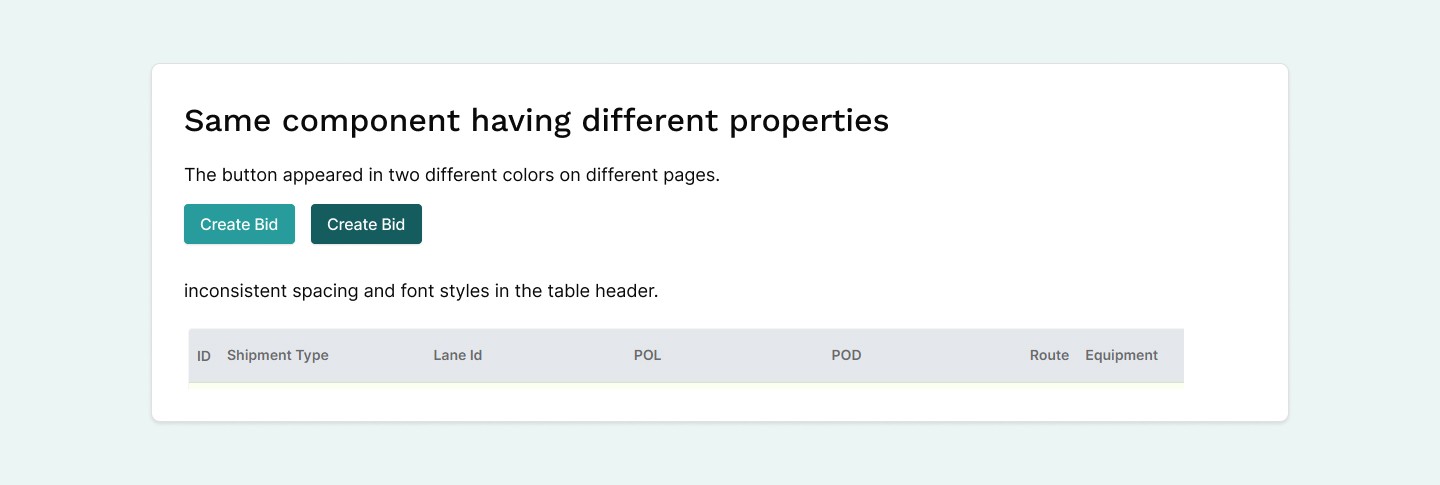
What I designed often didn't match the live application. Suspecting developers were working from different assets, I ran a quick audit of the product. It confirmed my suspicion: assets varied significantly, with numerous variations of components like buttons and tables. We urgently needed a design system to close this gap and standardise our visual language.
Foundations
Finding a structure with atomic design
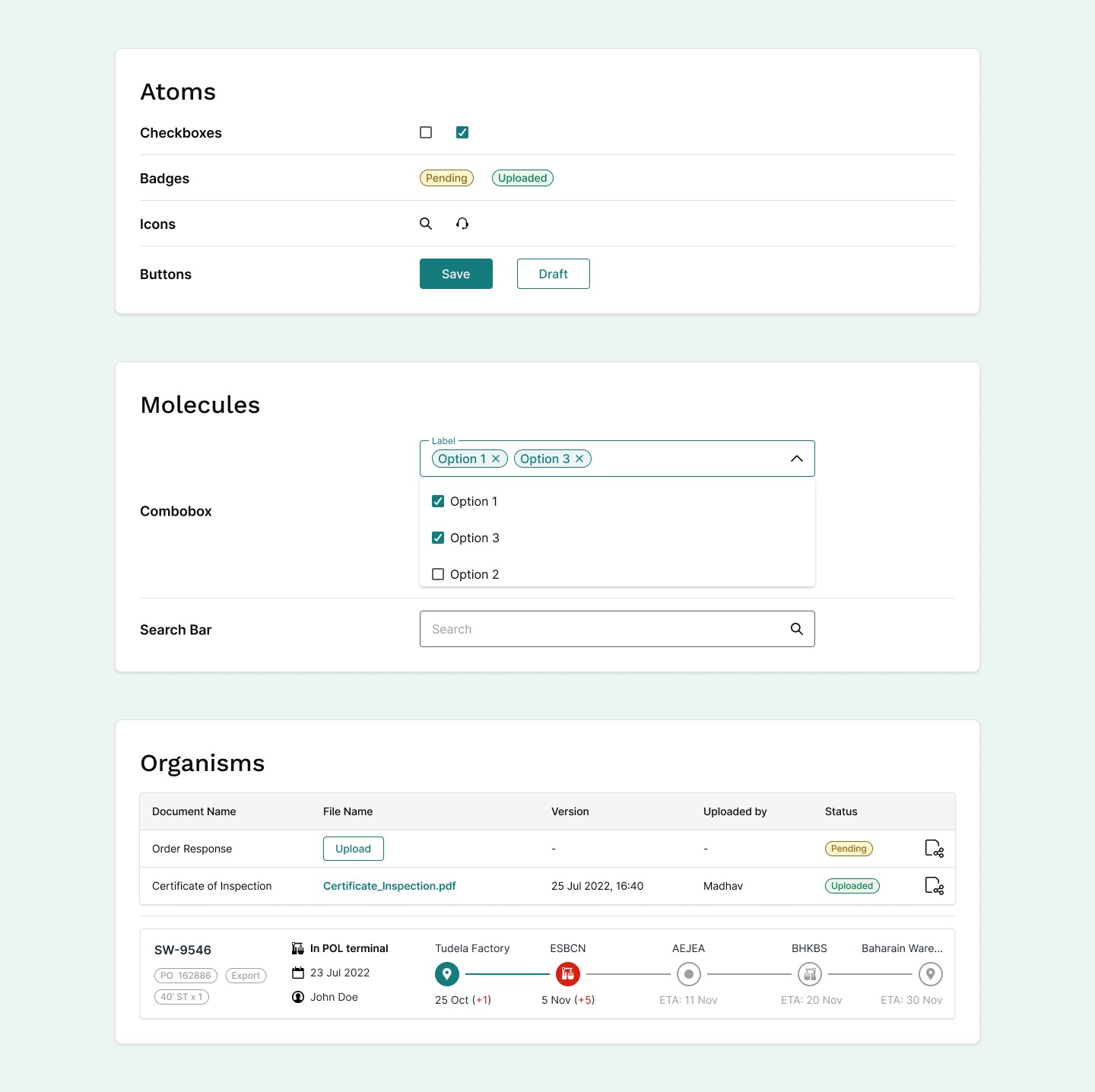
Organising the components felt overwhelming at first. Large public design systems from IBM, Apple and Google were valuable inspiration, but their scale made them hard to use as a practical guide. The breakthrough came from adopting Atomic Design principles: building atoms first, combining them into molecules, then into organisms.
Tokens & classes
Speaking the developers' language
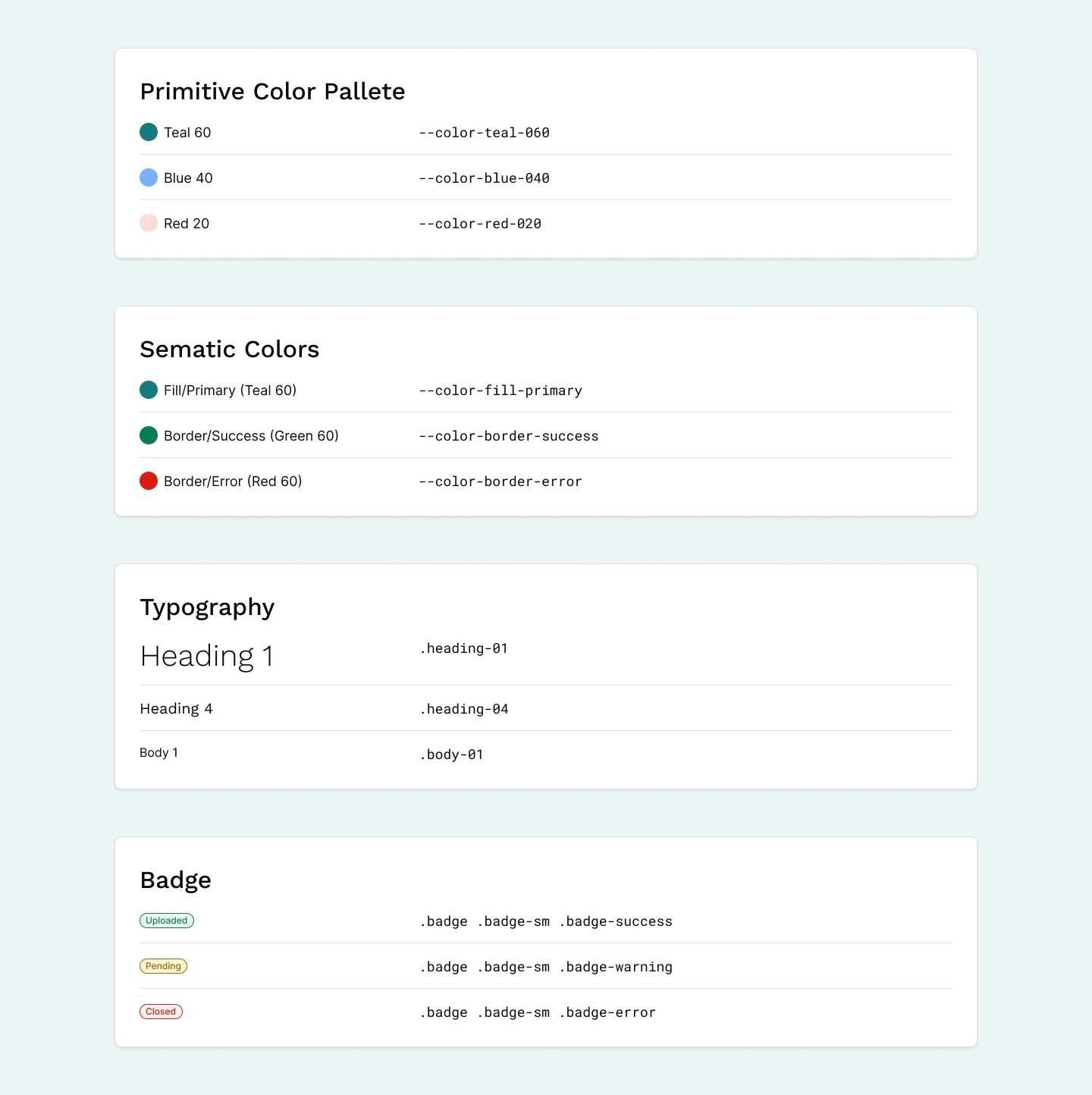
The system had to be simple, scalable and clear for both designers and developers. Understanding the developers' perspective was crucial, so I worked with a front-end developer. Together we added tokens and CSS classes directly into Figma, which helped us align our thinking and communicate clearly.
Built to scale
Ready for a growing team
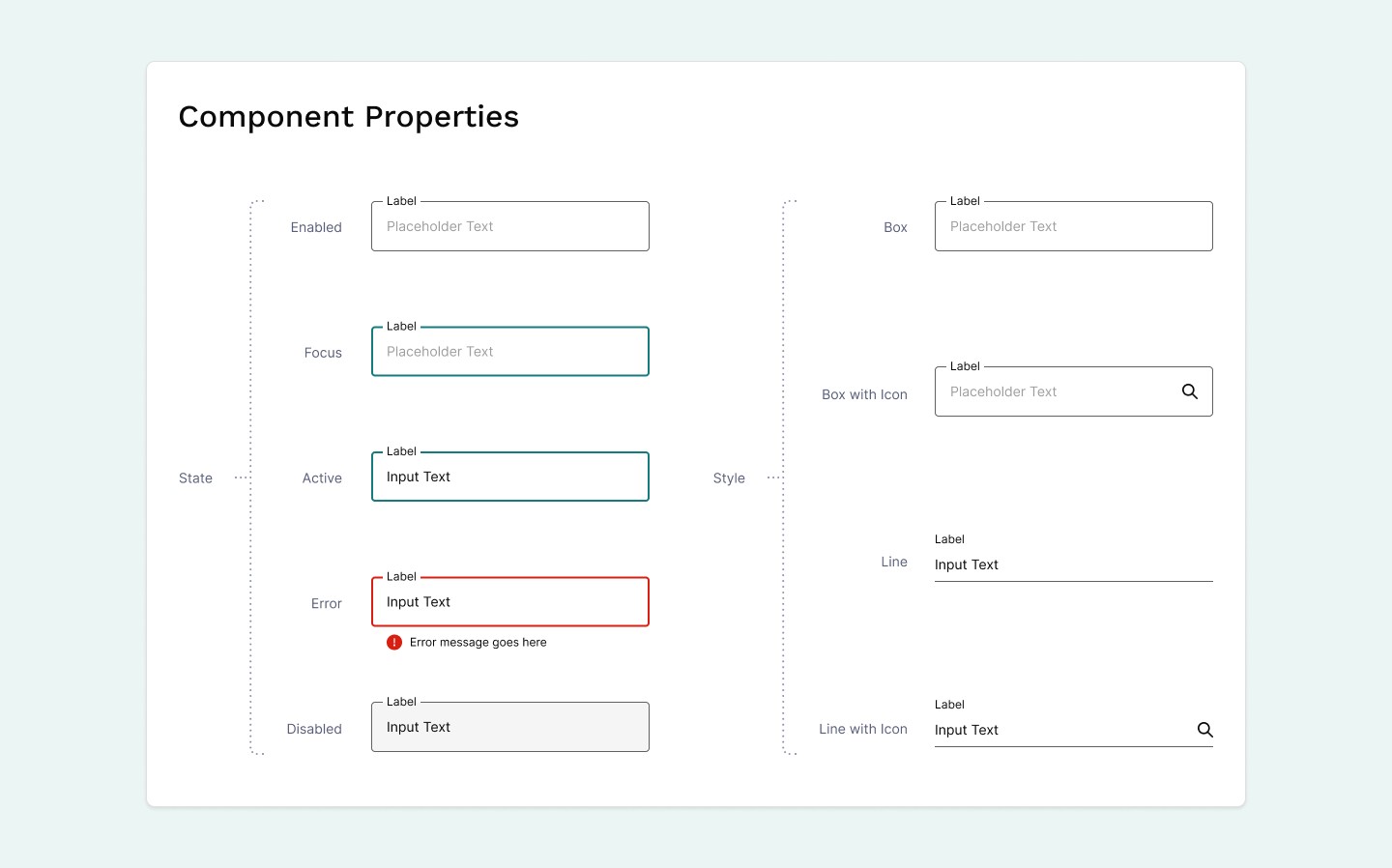
As the sole designer at a startup, I knew the team and product would grow, so I built the system for scalability. Atomic design, nested components and component properties kept elements manageable as the system expanded. Telling which components are truly reusable and which exist only for edge cases is something I'm still learning.
Bringing it together
A system that keeps evolving
The design system is constantly being updated. After introducing new components, I checked in with the development team to learn whether the changes actually improved the product, and what was and wasn't working from their side.
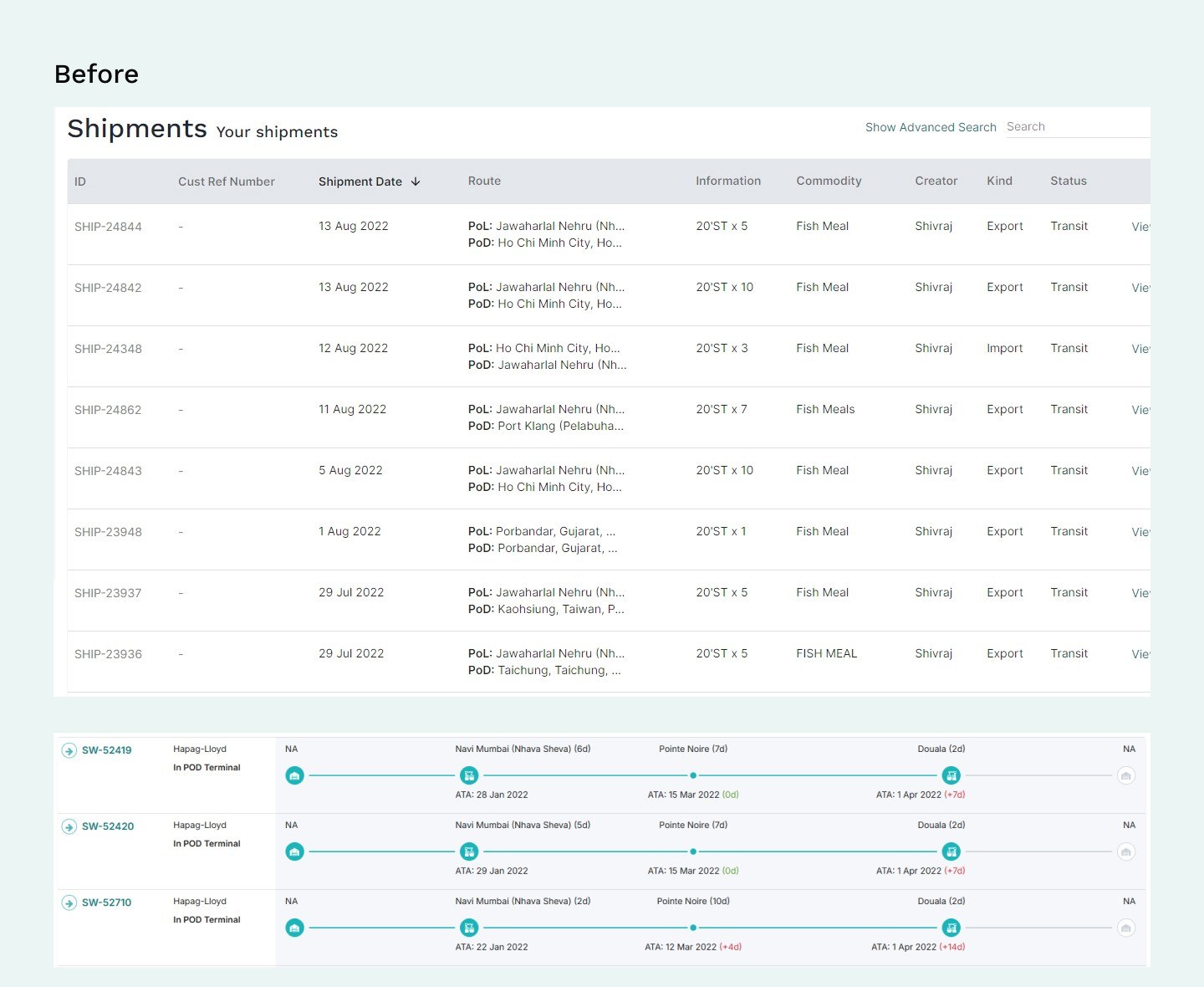
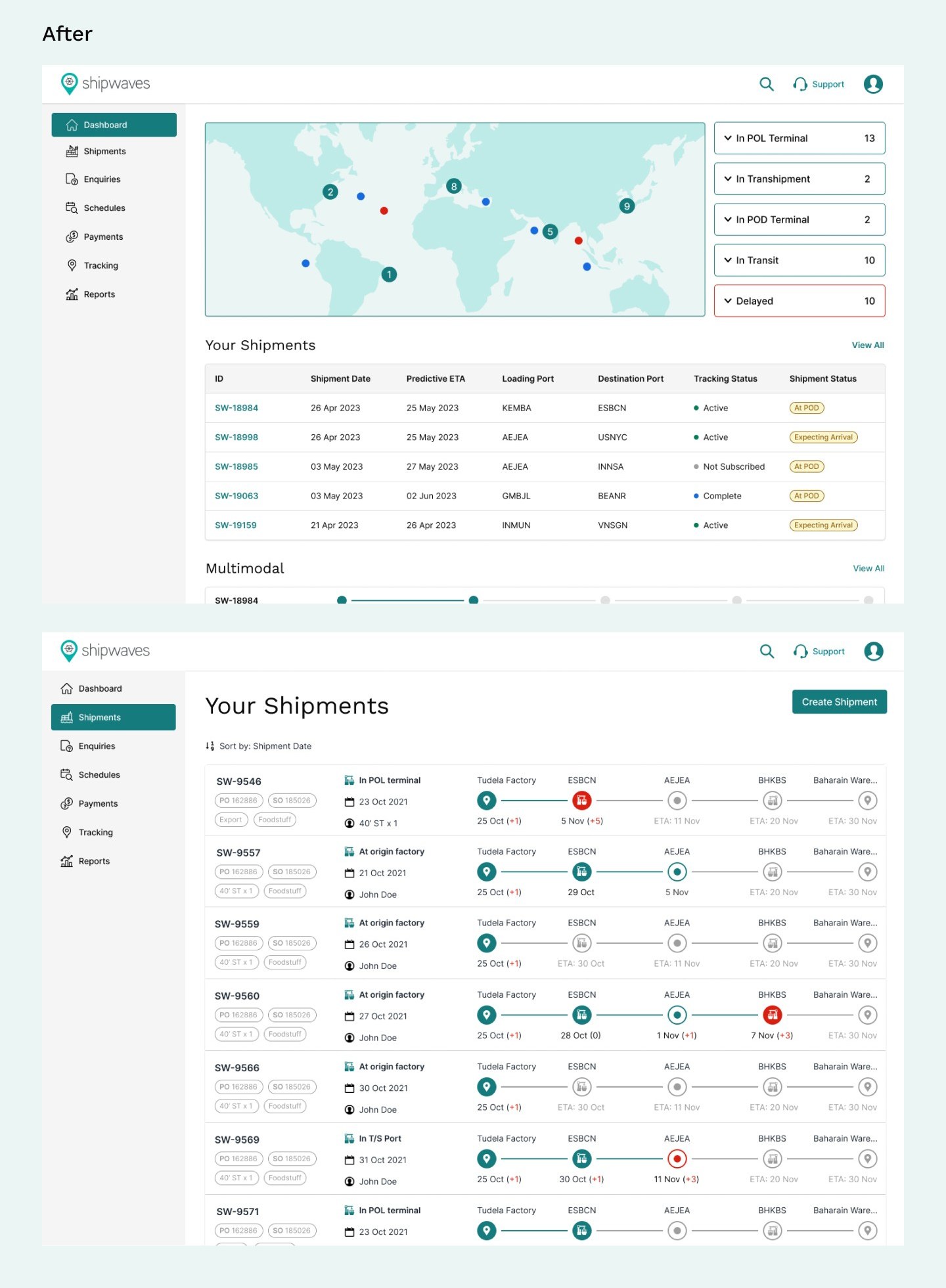
1. Faster development
2. Streamlined handoff
3. Smoother QA
4. Consistent UI
Looking ahead
What comes next
- Grow the library. Add more standardised, versatile assets as the system matures.
- Document for developers. Break components down further and document their behaviour in the context of developer frameworks.
- Listen to designers. As the design team grows, collect feedback on how the system supports their workflow and onboarding, and on improving documentation and guidelines.
- Measure the impact. Monitor design consistency and survey the team on daily usage to understand the system's real effect on speed and productivity.